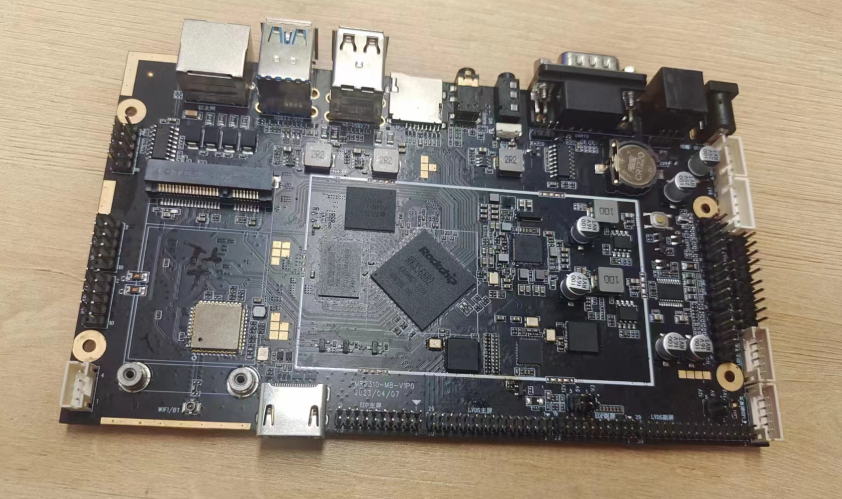
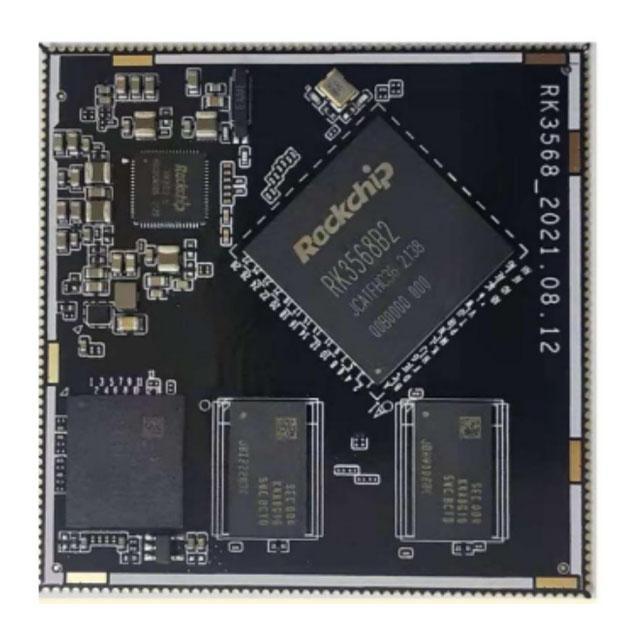
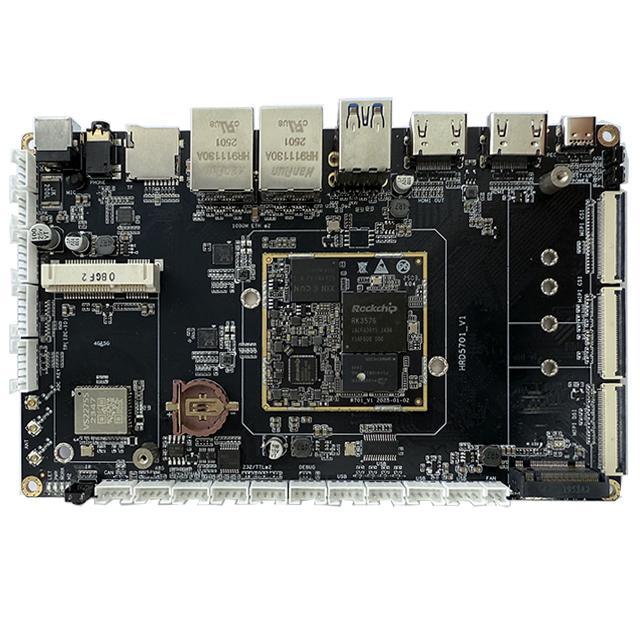
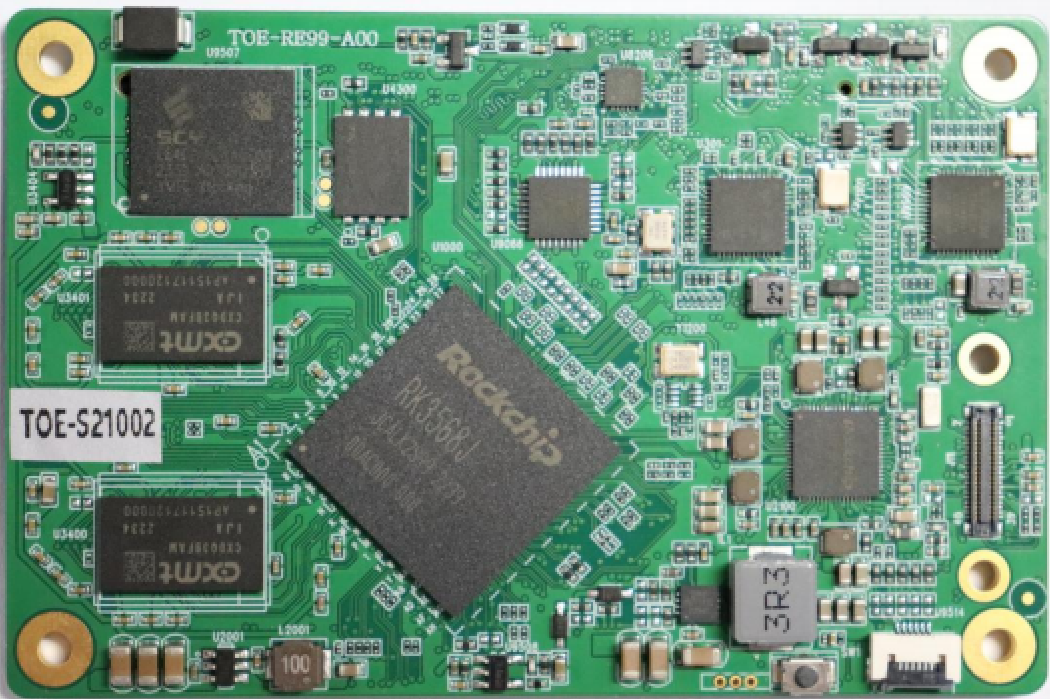
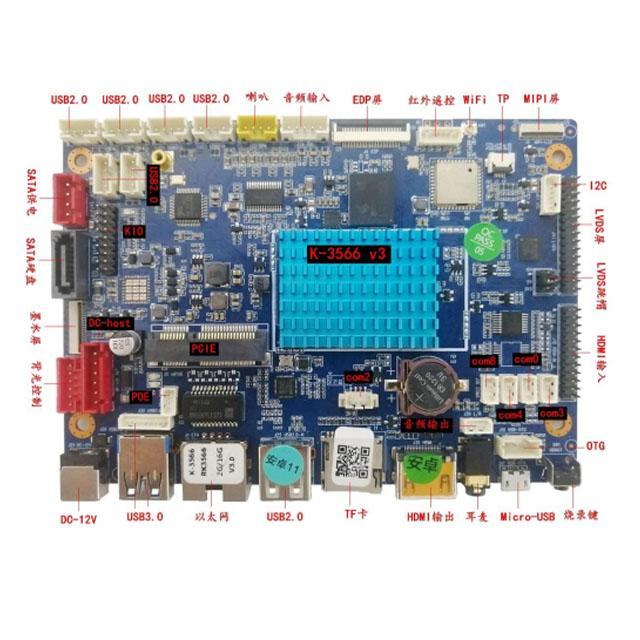
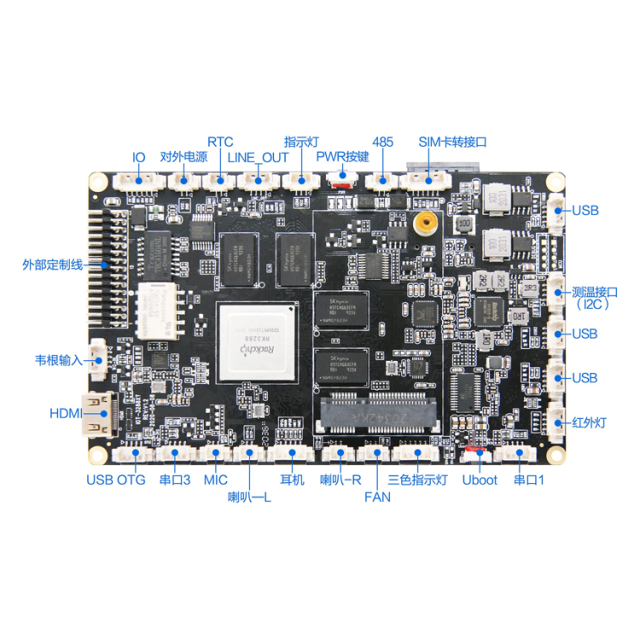
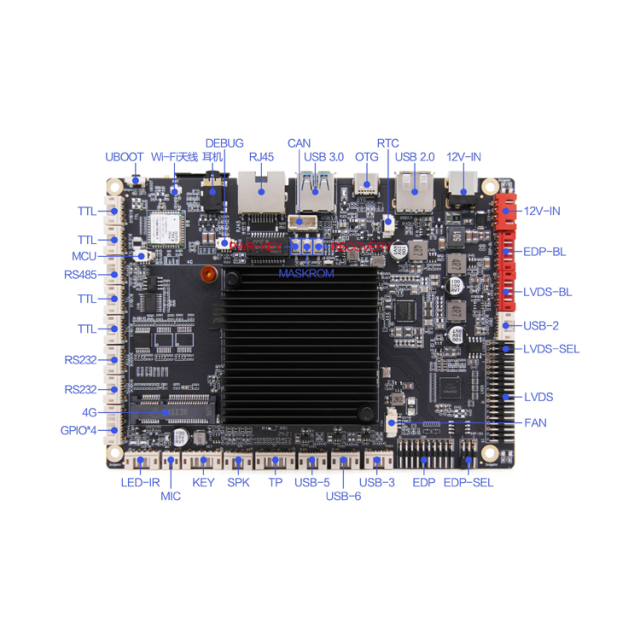
Traditional embedded multi-screen projects commonly face the following challenges: external video splitter solutions are expensive, offer poor synchronization, and require complicated wiring; low-end ARM boards support only dual-screen mirroring and cannot provide independent extended display across multiple screens; touch signals drift in multi-screen scenarios, and multi-touch cannot be partitioned; system stability is poor, making stuttering and dropped frames likely during prolonged 24/7 playback.
The Rockchip RK3588 octa-core ARM platform features four native, independent VOP video output channels. Combined with customized ARM motherboard hardware design, it enables an integrated solution for multi-screen splicing, screen mirroring, independent multi-screen display, and synchronized multi-channel touch input acquisition. No additional video splitter is required. A single motherboard can drive video walls, industrial operator consoles, digital signage, and exhibition hall visualization systems. It supports both Android and Linux (Ubuntu), making it a mainstream ARM embedded solution for industrial multi-screen projects.
What Is the RK3588 Multi-Screen Display Solution?
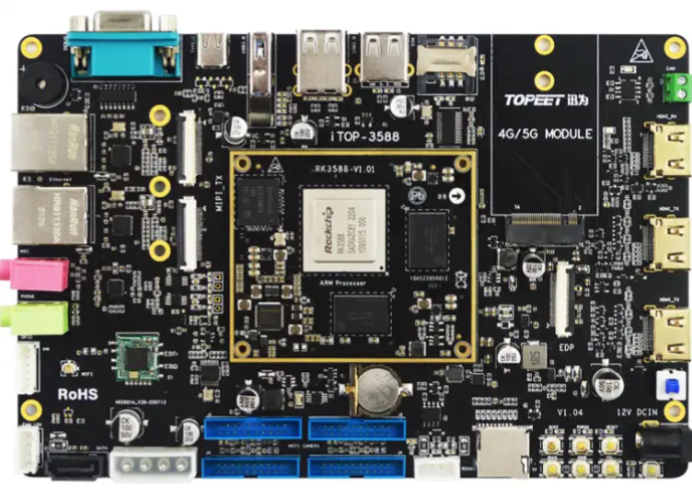
The RK3588 is a flagship 8nm high-performance SoC launched by Rockchip. It adopts an octa-core architecture consisting of four Cortex-A76 cores and four Cortex-A55 cores, integrates a Mali-G610 GPU and an NPU with approximately 6 TOPS of computing power, and supports 8K video encoding and decoding as well as multiple video outputs. ARM motherboards designed around this chip, whether built with a core board and carrier board or as a single-board computer, typically provide multiple display interfaces, including HDMI, DP (Type-C), eDP, and MIPI DSI.
A multi-screen display solution refers to a complete set of capabilities jointly provided by motherboard hardware, drivers, the operating system, and application software, including:
Multi-Screen Mirroring (Clone/Mirror): Multiple screens display exactly the same content.
Multi-Screen Extended Display (Extended/Independent): Each screen displays different content, with independent resolution and orientation settings.
Multi-Screen Splicing (Video Wall/Splicing): Multiple physical screens are combined into one large display to present a complete image.
Multi-Screen Touch: Each screen supports touch input and correctly identifies which screen is being touched.
Underlying Hardware Principles of Multi-Screen Display on the RK3588 Chip
The RK3588 is manufactured using an 8nm process and features a 4× Cortex-A76 + 4× Cortex-A55 architecture, a Mali-G610 GPU, and four independent VOP (Video Output Processor) display controllers. VP0 supports output resolutions of up to 8K, VP1/VP2 support up to 4K, and VP3 supports up to 2K. These are the hardware foundations that enable the RK3588’s multi-screen capabilities.
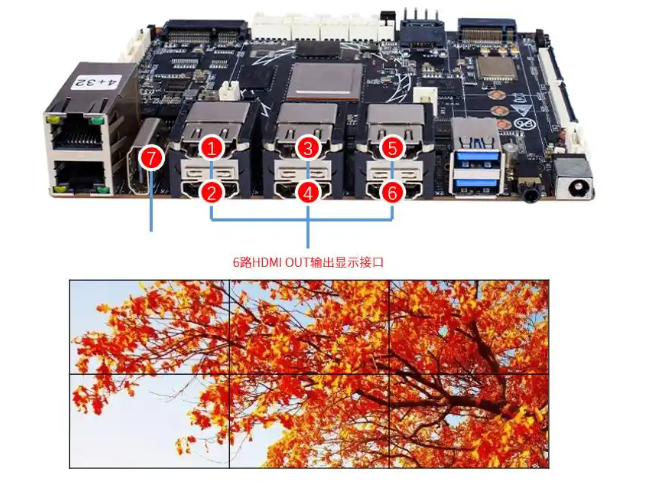
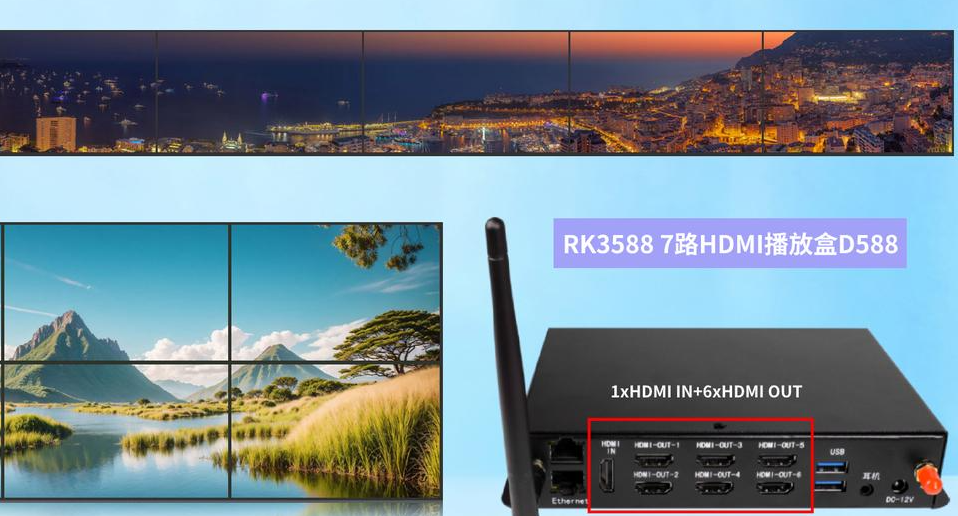
VP0/VP1/VP2 support VOP-Split channel splitting technology: A single VOP can be split into two independent image output channels, enabling one channel to drive two displays. Through a MIPI-DSI-to-HDMI conversion circuit, the number of output interfaces can be expanded, supporting up to seven HDMI outputs for larger-scale video wall configurations.
Native output interfaces: HDMI 2.1, DP 1.4, MIPI-DSI, and eDP. Different types of screens can be combined without requiring a uniform interface specification.
Hardware encoding and decoding: The integrated 8K VPU supports hardware decoding of multiple 4K/1080P video streams. Video rendering and image splicing operations are handled by the VPU/GPU rather than consuming CPU computing resources, ensuring smooth video playback across multiple screens simultaneously.
Touch peripherals: The motherboard reserves multiple USB and I2C touch interfaces and supports capacitive and resistive touchscreens. Multiple independent touch panels can be connected, enabling two modes: partitioned touch and global touch.
In short: The RK3588 does not rely on software simulation to achieve multi-screen output. It uses multiple native hardware display controllers, offering significantly greater stability than solutions that connect an external splitter to a conventional chip with a single VOP.
Detailed Explanation of the Three Display Modes: Mirroring, Extended Display, and Multi-Screen Splicing
1. Multi-Screen Mirroring
Mirroring means that all screens output exactly the same image. All VOP channels are bound to the same frame buffer, ensuring synchronized image refresh.
Applicable scenarios: Synchronized promotional video playback across multiple exhibition hall screens, product displays, and information announcement screens.
Advantages: Simple configuration; mirroring can be enabled through a single device tree configuration; good synchronization and low latency. Supports simultaneous mirroring across 2, 3, or 4 screens.
Touch behavior: All touchscreens share the same set of touch coordinates. Touching any screen triggers a global response.
2. Multi-Screen Extended Display
In multi-screen extended display mode, each VOP corresponds to an independent frame buffer, and each screen has its own resolution and UI window. The displayed content on each screen operates independently without interfering with the others.
Applicable scenarios: Industrial operator consoles (touch operation on the main screen and real-time data monitoring on the secondary screen), security NVR systems (multi-channel split-screen previews), and multi-window digital signage.
System implementation: Android uses DisplayManager to manage multiple logical displays. Linux uses the DRM/KMS driver to create independent display planes for each VOP.
Touch behavior: Supports partitioned touch. Touching Screen A triggers a response only on Screen A, while touching Screen B triggers a response only on Screen B. Touch coordinates are isolated between screens, preventing touch interference.
3. Multi-Screen Splicing
Multi-screen splicing combines multiple physical screens into one ultra-large logical canvas, rendering images seamlessly across screens. It supports various matrix configurations, including 1×2, 1×3, 1×4, 2×2, and 2×3. For example, a 3×1 spliced canvas can have a resolution of 5760×1080, while a 2×2 configuration can achieve 3840×2160.
– Implementation methods: Two approaches are available.
Hardware-based splicing using VOP-Split: Uses RK3588 VOP channel splitting to divide images at the hardware level, resulting in minimal performance overhead.
Software-based splicing through the graphics stack: Maps the canvas at the Android/Linux graphics layer, offering greater flexibility. Matrix configurations can be modified without recompiling the device tree.
Important considerations: Physical screen bezel compensation must be calibrated to eliminate black borders. The motherboard BSP includes a configuration interface for bezel compensation parameters.
Touch behavior: In large-screen splicing mode, the coordinates from multiple touchscreens are combined into a unified global coordinate system. Touch positions are mapped to the entire ultra-large canvas, enabling touch interaction across the complete spliced video wall.
All three modes can be switched at any time. Configuration is available in U-Boot, the device tree, and upper-layer applications, providing flexibility during project debugging.
Overall Design of a Multi-Channel Touch Display Solution for RK3588
The biggest challenges in multi-screen projects are not display-related, but rather multi-touch signal synchronization, coordinate mapping, and touch interference. The RK3588 ARM motherboard solution provides a complete touch solution:
1. Touch Hardware Interfaces
The motherboard provides multiple I2C and USB Host interfaces, allowing multiple touch panels to be connected simultaneously, including USB capacitive touchscreens and I2C resistive/capacitive touchscreens. Multiple touch inputs can be acquired in parallel without competing for bus bandwidth.
2. Three Touch Operating Modes
Global Touch (Mirroring Scenarios): Coordinates from all touch devices are mapped to the same display space.
Independent Partitioned Touch (Extended Display Scenarios): Each touch device is bound to its corresponding VOP display, with independent coordinates.
Global Touch for Spliced Displays (Video Walls): Coordinates from multiple touchscreens are combined into a unified coordinate matrix, followed by coordinate calibration and offset correction. Touch points are mapped to the ultra-large spliced canvas.
3. Driver and Firmware Adaptation
The kernel driver reports raw multi-touch coordinates. The system layer handles coordinate conversion, rotation, flipping, and touch debouncing. Upper-layer applications can directly read standardized touch events without requiring low-level modifications.
Supports multi-touch with up to 10 simultaneous touch points, meeting the interactive requirements of industrial and advertising applications.
RK3588 ARM Motherboard Software and Hardware Deployment Process
Hardware Selection and Key Motherboard Selection Considerations
Confirm the Required Number of Screens and Resolution: The four native VOPs support up to four independent output channels. For six to seven spliced screens, select an RK3588 motherboard equipped with a MIPI-to-HDMI expansion board.
Interface Matching: HDMI 2.1 is suitable for 4K high-refresh-rate displays; MIPI is suitable for small industrial displays; eDP is used for built-in all-in-one display panels.
Power Supply and Thermal Management: Passive cooling is recommended for 24/7 industrial applications. The motherboard supports a wide input voltage range of 9–24 V and watchdog-based automatic restart after power loss.
BSP and System Configuration Steps
Device Tree Configuration: Enable the corresponding VOP channels and configure the timing, resolution, and refresh rate for each screen. Enable VOP-Split channel splitting for splicing solutions.
Kernel Drivers: Load the corresponding display and multi-touch drivers, and configure the touch I2C/USB nodes.
System Graphics Layer Configuration
Android: Use DisplayService to configure multiple displays and set mirroring or extended display modes.
Linux: Use DRM/KMS + Weston to configure multi-screen rendering and video wall canvases.
Upper-Layer Application Development: Provide an SDK and APIs to support dynamic switching between mirroring, extended display, and splicing modes, as well as dynamic modification of splicing matrices and touch coordinates at the application layer.
Stability Testing: Conduct long-duration 24/7 burn-in testing with continuous video playback, monitoring memory leaks and lost touch events.
Industry Applications
Digital Signage Advertising Displays: Synchronized advertising playback across multiple screens, multi-screen video walls, and interactive touchscreen displays for product guidance. The Android system can be adapted to CMS content management systems.
Industrial Visualization Dashboards: Independent content across multiple screens, with touch operation on the main screen and real-time production line data and equipment status displayed on secondary screens. Supports stable operation across a wide temperature range.
Exhibition Hall and Museum Visualization Displays: 2×2 and 1×4 video walls combined with full-wall multi-touch functionality for interactive 3D presentations.
Human-Machine Interface (HMI) Operator Consoles: Dual-screen extended display, combining a local touchscreen control panel with a remote large-screen data display. Applicable to rail transit and medical equipment operator consoles.
Security Monitoring NVR Systems: Multiple screens independently preview video feeds from different cameras.
Advantages of the RK3588 Multi-Screen Solution Compared with Traditional Solutions
Feature
RK3588 Single-Motherboard Multi-Screen Solution
ARM Board + External Video Splitter
X86 Industrial PC Multi-Screen Solution
Hardware Cost
Low; implemented on a single motherboard without an additional splitter
Moderate; requires additional video splitting hardware
High; requires a complete system and multiple graphics cards
Power Consumption
Typical power consumption of 5–8 W
10 W+
40–80 W
System Stability
Lightweight embedded system, watchdog, and 24/7 operation
Single point of failure if the splitter malfunctions
Windows systems are prone to blue screens
Touch Integration
Native multi-channel touch drivers with configurable coordinates
Splitter cannot transmit touch signals; separate wiring is required
USB touchscreens are prone to conflicts
Deployment Size
Compact motherboard and embedded enclosure
Separate devices with complex wiring
Large overall system size
Secondary Development
BSP, device tree, and application SDK provided
Almost no interfaces available for secondary development
Windows application development
Frequently Asked Questions (FAQ)
Q1: How many screens can the RK3588 natively support?
A: The RK3588 chip integrates four independent VOP display controllers and natively supports four independent screen outputs. By combining VOP-Split channel splitting with MIPI-to-HDMI expansion circuitry, the number of outputs can be expanded to up to seven HDMI outputs, enabling larger matrix video wall configurations.
Q2: Can the RK3588 support multi-screen extended display and multi-touch simultaneously?
A: Yes. Each screen can be bound to an independent touch panel. The kernel driver handles multi-channel touch acquisition, while the system layer isolates coordinates. Touching Screen A triggers a response only on Screen A, preventing touch interference.
Q3: Does RK3588 multi-screen splicing require an additional video wall controller?
A: No. The RK3588 uses VOP hardware splitting or software-based splicing at the system graphics layer. A single ARM motherboard can render a video wall, eliminating the hardware cost of an external video wall controller.
Q4: Does the RK3588 multi-screen solution support Android or Linux?
A: Both operating systems are supported. Android 12/13 is suitable for advertising displays and digital signage, while Ubuntu Linux is suitable for industrial control and edge computing projects. BSPs for both systems provide multi-screen and touch drivers.
Q5: What is the maximum resolution supported by RK3588 multi-screen splicing?
A: VP0 supports resolutions of up to 8K. The spliced canvas resolution depends on the VOP configuration. For example, four 4K screens arranged in a 2×2 video wall can achieve an overall canvas resolution of 7680×4320.
Q6: How can touch coordinate offsets be debugged in multi-screen scenarios?
A: The BSP includes configuration parameters for touch coordinate rotation, offset, and scaling. In splicing scenarios, physical screen bezel compensation and touch calibration are required. We provide calibration tools for rapid adjustment.
Conclusion
The RK3588 ARM motherboard multi-screen solution leverages four hardware VOP display channels to cover four core capabilities: multi-screen mirroring, independent multi-screen rendering, video wall splicing, and multi-channel multi-touch acquisition.
Compared with traditional external video splitter and X86 industrial PC solutions, it offers advantages in low power consumption, high integration, low cost, and ease of secondary development. It is suitable for embedded projects involving digital signage, industrial dashboards, large exhibition displays, and human-machine interface operator consoles.
If you are developing an RK3588-based multi-screen product, we can provide motherboard samples, BSP source code, device tree templates, and technical support for multi-screen and touch SDKs. We also support hardware customization and customized system firmware development.